Conversations that stay on track
Chat runs a moderated conversation alongside the stream, where the audience talks to each other as well as to the host. It doesn't wait for an answer from the stage the way a question does, so it runs on its own moderation. You decide per event whether a moderator screens messages before they post or after.
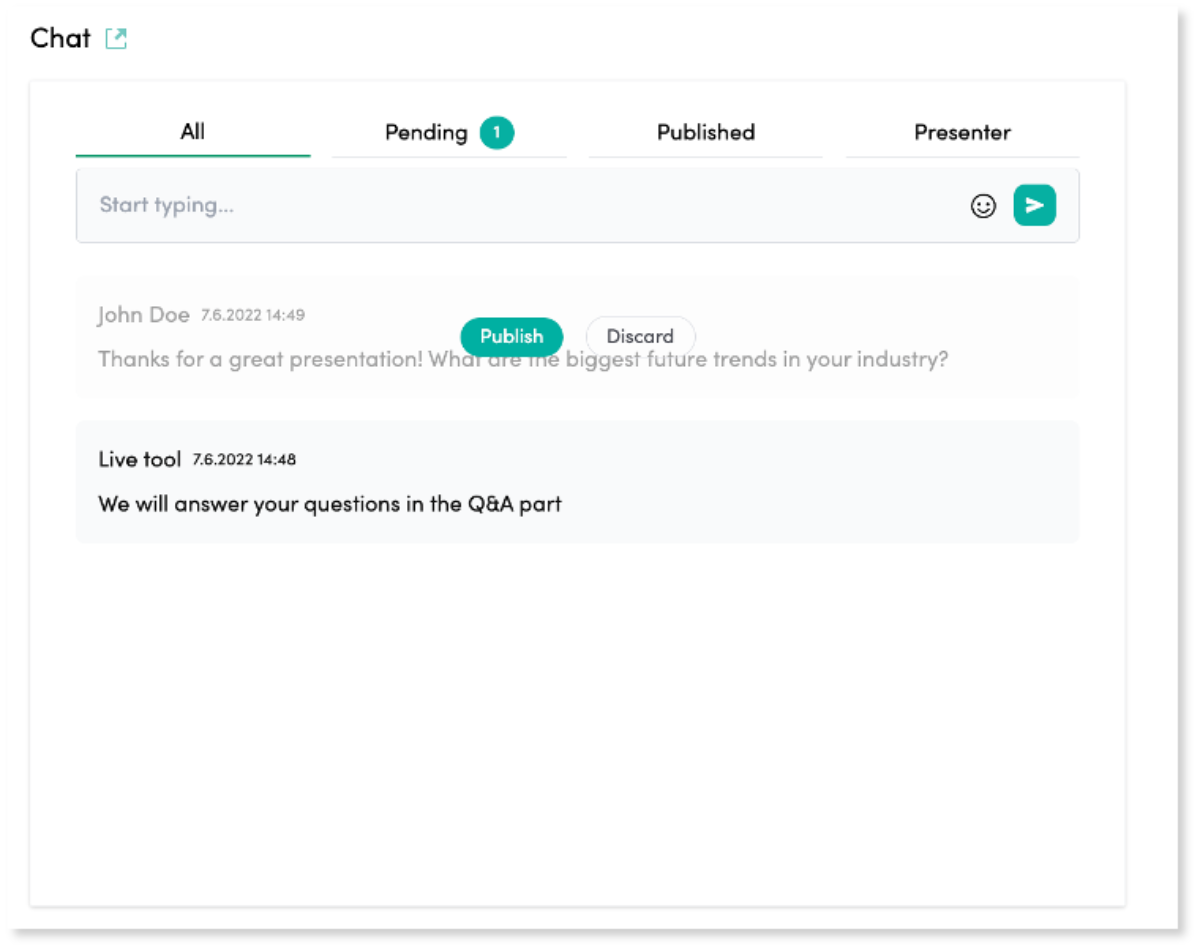
One conversation, and the controls to run it
Full moderation control
A moderator screens messages before they appear, or lets them flow freely. You make that choice per event, not once for the whole account.
Blocking is a decision, not a filter
No keyword list decides what is acceptable here. A moderator blocks the message, which means the call is made by someone who knows what this event can and cannot say.
Pin important messages
Pin a key announcement, or a question worth keeping visible, to the top of the chat.
Private moderator notes
Moderators talk to each other without any of it appearing in the public chat.
One chat, on-site and remote
Attendees joining through the onsite app share the same chat as everyone watching remotely, so the room isn't split into two separate conversations.
Private messaging
Alongside the public chat, an attendee can send a private message that only its intended recipient sees, for anything that shouldn't go on screen.
Screened before it posts, or open and live
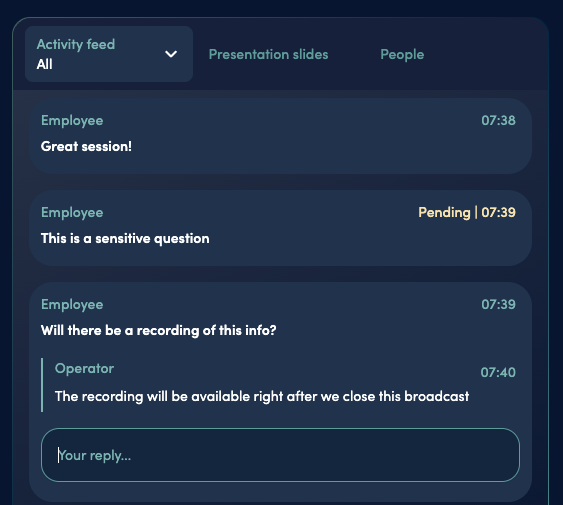
A moderator can screen chat before it ever reaches the audience, so a sensitive question gets answered without going public. Left open, chat runs live on the event's own page rather than in a bolted-on widget. The audience talks to each other, and silent viewers become something closer to a room.
The bigger picture
Chat is one step on a wider scale. Videosync also takes moderated written questions, runs polls the audience votes in, and lets an attendee raise a hand and speak in their own voice. The host decides how far any single event goes.
See the full picture of audience interactivityQuestions about live chat
Can messages be reviewed before the audience sees them?
Yes. With pre-moderation, a message is screened before it posts, so a sensitive question can be answered privately instead of appearing on screen. With post-moderation, messages post immediately and a moderator steps in only when needed. The choice is made per event.
What stops a message you do not want on screen?
A moderator. With pre-moderation on, every message is read before it posts, so anything you would not want on a public screen never gets there. That covers the judgement calls a keyword filter would miss, like a fair question asked at the wrong moment or speculation about numbers you have not published.
Can moderators talk to each other during the event?
Yes, in private moderator notes that never appear in the public chat, so a decision about a message can be agreed without interrupting the conversation.
See it in action
Get a personalized demo and see how Videosync can work for your organization.